

AI automation workflows for local businesses help automate repetitive tasks, improve customer response times, and create more efficient operations. Instead of relying on manual processes, businesses can use AI-powered systems to capture leads, schedule appointments, follow up with prospects, and manage customer communications automatically.
As labor costs rise and customer expectations increase, many local businesses are adopting automation to scale operations without significantly increasing overhead. The right AI workflow can improve efficiency, increase lead conversion rates, and deliver measurable ROI.
If you’re new to automation, start with our guide on What Is AI Automation for Businesses and How It Drives More Leads, which explains the fundamentals of automation and how businesses use AI to improve efficiency and generate more opportunities.
What Are AI Automation Workflows for Local Businesses?

AI automation workflows for local businesses are structured systems that use artificial intelligence and automation tools to perform tasks with minimal human intervention. These workflows connect different business processes and technologies to streamline operations.
Unlike a single AI tool that performs one function, a workflow creates an end-to-end process. For example, when a visitor submits a form on a website, an automation workflow can instantly qualify the lead, send a text message, create a CRM record, notify a sales representative, and schedule a follow-up sequence.
Common business processes that can be automated include:
- Lead capture
- Appointment scheduling
- Customer support
- Follow-up communications
- Review requests
- Internal task management
- Marketing campaigns
Businesses evaluating implementation options may also benefit from our guide on What Does an AI Automation Agency Do and How It Increases ROI, which explains how agencies design, implement, and optimize automation systems for growing organizations.
The real value comes from connecting these tasks into a seamless system that reduces delays and eliminates repetitive manual work.
How AI Automation Workflows Work

Most AI automation workflows follow a simple framework:
Trigger → Process → Action
A trigger starts the workflow.
Examples include:
- Website form submission
- Missed phone call
- New customer inquiry
- Appointment completion
- Online review request
The workflow then processes information using predefined rules or AI-powered decision-making.
Finally, the system performs one or more actions automatically.
Examples include:
- Sending an email
- Sending an SMS message
- Creating a CRM contact
- Assigning a task
- Scheduling an appointment
- Generating a report
For example, a dental office may receive a website inquiry after business hours. Instead of waiting until the next day, an AI assistant can immediately respond, answer basic questions, collect additional information, and schedule a consultation.
This faster response often leads to significantly higher conversion rates because prospects receive assistance when interest is highest.
Organizations evaluating AI adoption can review guidance from the National Institute of Standards and Technology (NIST), which provides frameworks for trustworthy and responsible AI implementation. Businesses can also benefit from digital transformation resources provided by the U.S. Small Business Administration (SBA), which offers resources to help small businesses adopt technology and improve operational efficiency.
Most Valuable AI Automation Workflows for Local Businesses
Not all automation delivers the same business impact. The most valuable workflows typically focus on revenue generation, customer experience, and operational efficiency.
Lead Capture and Qualification
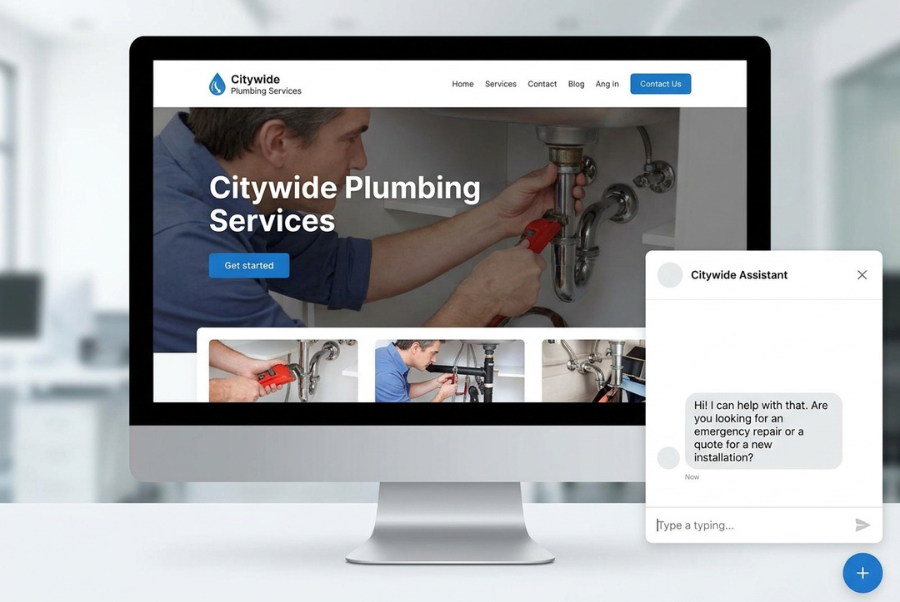
Many businesses lose leads because response times are too slow.
An AI workflow can:
- Capture inquiries instantly
- Ask qualifying questions
- Score lead quality
- Route leads to the correct team member
A contractor, for example, can automatically separate residential inquiries from commercial opportunities before any staff member becomes involved.
Appointment Booking Automation
Scheduling is often one of the most time-consuming administrative tasks.
Automation can:
- Check calendar availability
- Schedule appointments
- Send confirmations
- Deliver reminders
- Handle rescheduling requests
This reduces administrative workload while improving customer convenience.
Follow-Up and Nurture Sequences
Many leads do not convert after the first interaction.
AI workflows can automatically send:
- Educational emails
- SMS reminders
- Promotional offers
- Follow-up messages
This keeps businesses engaged with prospects without requiring manual outreach.
Customer Service and Chatbots
AI-powered chat systems can answer common questions 24/7.
Examples include:
- Pricing inquiries
- Service availability
- Business hours
- Appointment requests
- Frequently asked questions
This improves customer experience while reducing support workload.
Review and Reputation Management
Online reviews directly impact local search visibility and customer trust.
An automated workflow can:
- Request reviews after appointments
- Send reminders
- Monitor new reviews
- Alert staff to negative feedback
This creates a consistent reputation management process.
Internal Operations and Task Automation
Automation is not limited to customer-facing activities.
Businesses can automate:
- Team notifications
- Task assignments
- Invoice generation
- Reporting
- Data entry
These efficiencies often save dozens of hours each month.
How Much Do AI Automation Workflows Cost?
The cost of AI automation workflows varies based on complexity, software requirements, and implementation needs.
For a more detailed pricing breakdown, see our guide on How Much Does AI Automation Cost for Businesses and What Affects Pricing, which explores software expenses, implementation costs, ongoing maintenance, and factors that influence total investment.
Typical Cost Ranges
| Solution Type | Estimated Cost |
| DIY Automation Tools | $50–$500/month |
| Small Business Workflow Setup | $500–$3,000 one-time |
| Advanced Multi-System Automation | $3,000–$15,000+ |
| Enterprise Automation Systems | $15,000+ |
Example Break-Even Scenario
Consider a business owner spending approximately 20 hours per month on manual lead follow-up and scheduling. If that time is valued at $25 per hour, the labor cost equals roughly $500 monthly.
A workflow costing $300 per month that eliminates most of those tasks could generate immediate operational savings while freeing staff to focus on sales and customer service activities.
In many cases, businesses recover their automation investment through time savings before accounting for any increase in lead conversions.
For businesses with simple lead management needs, DIY automation tools may be sufficient. However, companies managing multiple marketing channels, customer touchpoints, and software platforms often benefit from more advanced automation systems that provide greater scalability and long-term ROI.
Several factors influence pricing:
- Number of workflows
- Software integrations
- AI capabilities
- CRM requirements
- Custom development
- Ongoing maintenance
Businesses should evaluate both implementation costs and expected efficiency gains before making a decision.
A workflow that saves 40 labor hours monthly may produce a positive return even with a substantial upfront investment.
AI Automation Workflow Options and Alternatives
Businesses generally choose one of three implementation approaches.
Option 1: DIY Automation Tools
Popular platforms allow businesses to build workflows independently.
Advantages:
- Lower upfront costs
- Greater control
- Flexible customization
Disadvantages:
- Learning curve
- Setup time
- Maintenance responsibility
Option 2: Hybrid Setup
Many businesses combine internal management with external consulting support.
Advantages:
- Faster implementation
- Reduced complexity
- Shared responsibility
Disadvantages:
- Moderate cost
- Some ongoing management required
Option 3: Fully Managed AI Automation Agency
A specialized agency designs, implements, monitors, and optimizes workflows.
Advantages:
- Fast deployment
- Expert guidance
- Continuous optimization
Disadvantages:
- Higher investment
- Less direct control
Comparison Overview
| Option | Cost | Time Investment | Complexity | Scalability |
| DIY | Low | High | Moderate | Moderate |
| Hybrid | Moderate | Moderate | Low | High |
| Agency | Higher | Low | Very Low | Very High |
The right option depends on internal resources, technical expertise, and growth goals.
Which Option Is Right for You?
Choose DIY If:
- You have technical experience.
- You enjoy learning software tools.
- Your workflows are relatively simple.
- You have time available for setup and maintenance.
Choose a Hybrid Approach If:
- You want expert guidance without fully outsourcing.
- You have some internal resources available.
- You plan to scale gradually.
Choose a Fully Managed Agency If:
- Lead generation directly impacts revenue growth.
- You need implementation completed quickly.
- You want ongoing optimization and support.
- Your business relies on multiple systems and integrations.
For most growing businesses, the hybrid or agency approach typically produces faster results and fewer implementation mistakes.
Is AI Automation Worth It? ROI Analysis
For many local businesses, AI automation delivers value through improved efficiency and increased revenue opportunities.
Common ROI drivers include:
- Faster lead response
- Reduced labor costs
- Higher conversion rates
- Fewer missed opportunities
- Improved customer retention
Consider a business receiving 100 leads monthly.
If automation improves response speed and increases conversion rates by just 10%, that improvement alone could generate substantial additional revenue over time.
Sample ROI Calculation
Imagine a local service business generating 100 leads per month with a 20% conversion rate.
- Leads: 100
- Customers: 20
- Average Customer Value: $1,500
Monthly Revenue:
20 × $1,500 = $30,000
If AI automation improves response speed and increases conversion rates from 20% to 24%, the business would gain 4 additional customers monthly.
Additional Revenue:
4 × $1,500 = $6,000 per month
Even after software and implementation costs, the ROI can be substantial when automation improves lead handling and customer engagement.
Research from the McKinsey AI Insights and Research has consistently shown that organizations implementing AI strategically often achieve significant productivity gains, particularly in customer service, sales, marketing, and operational processes.
One often overlooked benefit is scalability. As lead volume grows, automated systems can handle significantly more activity without requiring proportional increases in staffing.
However, automation is not always the right solution. Businesses with low lead volume or highly customized processes may not achieve the same return as organizations with repetitive, high-frequency tasks.
The best ROI typically occurs when businesses automate proven processes rather than attempting to automate poorly defined workflows.
Step-by-Step Framework for Building an AI Automation Workflow
Step 1: Identify Repetitive Tasks
Start by identifying activities that consume time but follow predictable patterns.
Examples include:
- Scheduling
- Data entry
- Follow-ups
- Customer inquiries
Step 2: Map the Customer Journey
Document each step from initial inquiry to completed sale.
This reveals bottlenecks and automation opportunities.
Step 3: Select Automation Tools
Choose platforms that integrate with existing systems.
Consider:
- CRM compatibility
- Communication channels
- Reporting features
- Scalability
Step 4: Build Workflow Logic
Create decision rules that guide automation actions.
Examples:
- If lead source = website → send immediate SMS.
- If appointment completed → request review.
Step 5: Measure Performance
Track key metrics such as:
- Lead response time
- Conversion rates
- Appointment bookings
- Labor savings
Without measurement, optimization becomes difficult.
Step 6: Optimize and Scale
Once workflows prove effective, expand automation into additional business functions.
Many organizations begin with lead management and later automate marketing, customer service, and operations.
Common Mistakes Businesses Make with AI Automation
One of the biggest mistakes is automating broken processes.
Automation amplifies existing systems. If the process is inefficient before automation, the workflow may simply make inefficiencies happen faster.
For example, if a business already struggles to respond to inquiries consistently, automating notifications alone may not solve the underlying issue. The sales process itself may need improvement before automation can produce meaningful results.
Another common mistake is overcomplicating workflows. Businesses often attempt to automate everything at once instead of focusing on high-impact opportunities first.
Lack of human oversight can also create problems. While automation improves efficiency, critical customer interactions may still require personal attention.
Finally, many businesses fail to track ROI. Without measuring results, it becomes difficult to determine which workflows are generating value and which require improvement.
Key Takeaways
AI Automation Workflow Checklist
- Identify repetitive tasks first.
- Focus on high-impact business processes.
- Automate lead response whenever possible.
- Measure performance and ROI consistently.
- Start simple and scale gradually.
- Maintain human oversight where necessary.
- Optimize workflows based on actual results.
Businesses that treat automation as a strategic growth system rather than a technology experiment often achieve the strongest long-term results.
Frequently Asked Questions
What is the best AI automation workflow for a small business?
Lead capture and follow-up automation is often the best starting point. It directly impacts revenue generation while reducing administrative workload.
How much does AI automation cost for local businesses?
Costs range from under $100 per month for basic tools to several thousand dollars for advanced custom workflows. Pricing depends on complexity, integrations, and support requirements.
Can AI automation replace employees?
In most cases, AI automation supplements employees rather than replacing them. It handles repetitive tasks so staff can focus on customer relationships, sales, and strategic work.
How long does it take to see ROI from AI automation?
Some businesses see measurable improvements within weeks. More complex workflows may take several months to optimize and fully realize their potential.
What industries benefit most from AI automation workflows?
Service-based businesses such as contractors, dentists, law firms, medical practices, HVAC companies, real estate agencies, and home service providers often experience significant benefits because of their reliance on lead management and customer communication.
What are the biggest risks of implementing AI automation?
The biggest risks include automating inefficient processes, poor integration between systems, and insufficient oversight. Businesses should begin with clearly defined workflows and monitor performance regularly to ensure automation delivers the intended results.
Conclusion
AI automation workflows for local businesses can streamline operations, improve customer experiences, and create scalable systems that support growth. By automating repetitive tasks, businesses can respond faster, reduce manual workload, and focus more attention on activities that generate revenue.
The best implementation approach depends on your goals, available resources, and growth plans:
- DIY solutions work well for simple workflows and technically skilled teams.
- Hybrid implementations balance flexibility and expert support.
- Fully managed automation services are often ideal for businesses focused on rapid growth and long-term scalability.
Rather than trying to automate everything at once, start by identifying one high-impact process such as lead response, appointment scheduling, or customer follow-up. A well-designed workflow can often produce measurable improvements within the first few months.
If you’re evaluating automation opportunities, now is the time to map your current processes, calculate potential labor savings, and determine which workflows could generate the highest ROI for your business.
If you’re considering professional implementation, explore our AI Automation Services to learn how customized workflows can automate lead management, improve customer communication, and help scale your business more efficiently.
Before investing in software or services, conduct a workflow audit of your lead generation, customer communication, and operational processes. Identifying your biggest bottlenecks first will help ensure your automation investment produces measurable business results and long-term ROI.
Binary Ideas Local Marketing
9525 4th Place, Lorton, VA 22079
Phone: (703) 690-9726
Website: https://binaryideas.com/
Contact Us: https://binaryideas.com/contact-us/